
The cost of a weak bug report
A weak bug report rarely looks expensive when it's written. The cost appears later.
The common gaps are familiar to any games QA team: a one-line title, a missing build number, an intermittent issue with no steps, or a ticket that duplicates one already in the backlog.
These gaps aren't usually a reflection of the tester. QA teams work to tight deadlines across multiple builds, often with tools that make thorough reporting harder than it needs to be. But the cost of an incomplete report doesn't stay with QA. It moves to development.
A developer picks up the ticket and can't reproduce it. They ask for more information. By then the tester has moved on to another area or another build. Days can pass before the bug is any closer to a fix.
Across a backlog of thousands of bugs, the handoff between QA and development becomes one of the most expensive points in the pipeline. Checkpoint is designed to address it.
What Checkpoint is
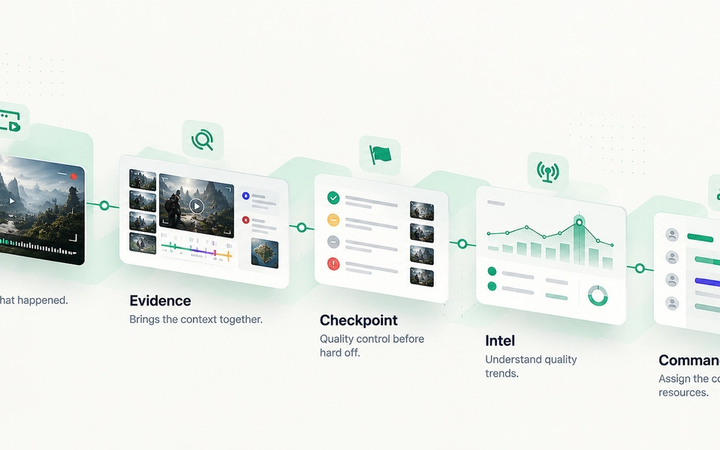
Checkpoint is TopMod's system for drafting, reviewing and triaging bugs before they're handed to developers.
It sits between QA and development. Testers submit bugs into Checkpoint, reviewers assess them, and only bugs that pass review move on to development, including directly into Jira when a backlog is connected.
Checkpoint is a quality step, not a blocker. Its purpose isn't to slow bugs down, but to make sure the bugs that reach development are ready to be worked on.
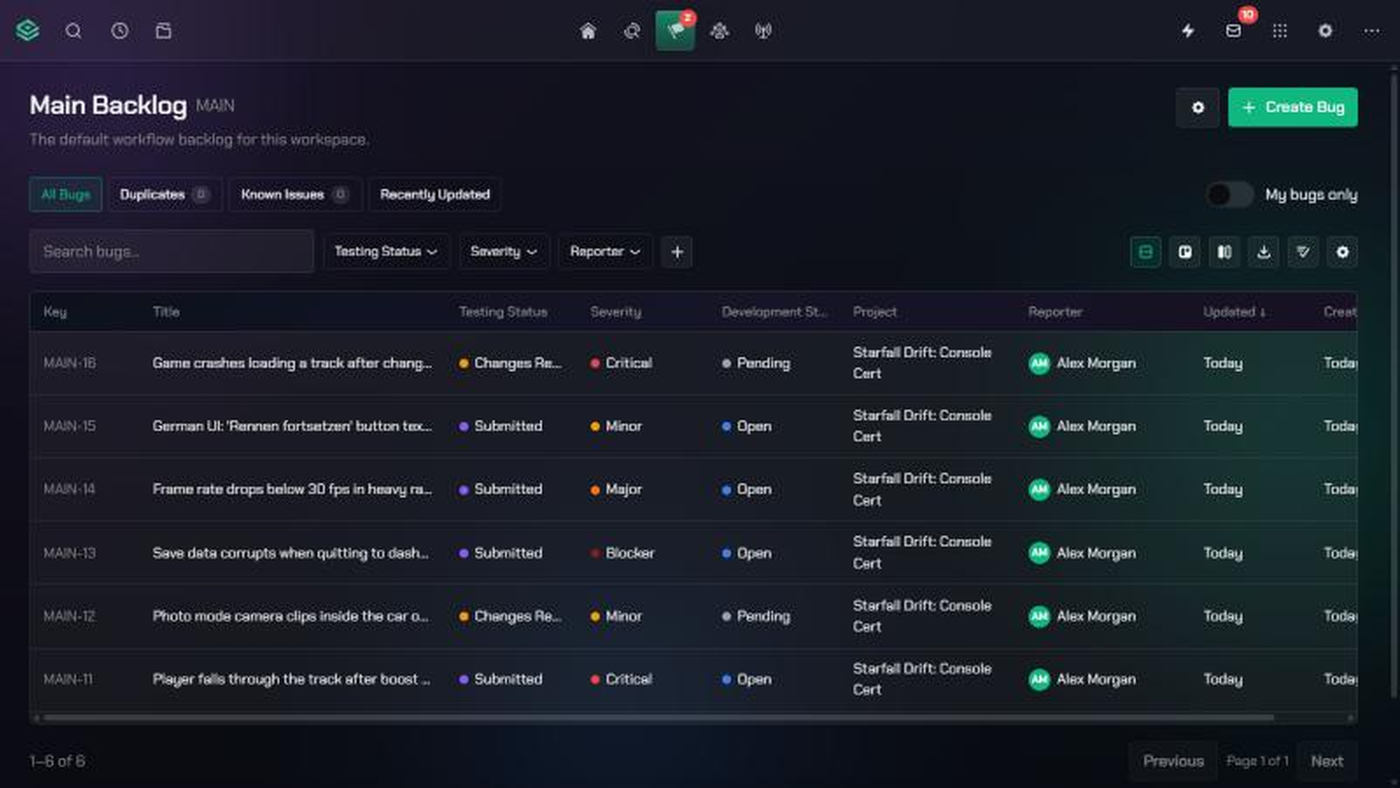
Every bug in Checkpoint has a Testing Status: Draft, Awaiting Review, Changes Requested, Rejected or Submitted. Each status is visible, measurable and has a clear owner.
Quality checks while the report is written
The most efficient point to improve a bug report is before it's submitted.
As a tester fills in a bug, Checkpoint calculates a Quality Score in real time. The score reflects the title, description, steps to reproduce, required and optional fields, and attached evidence. Testers can see what's missing and fix it immediately, rather than waiting for a reviewer to send the bug back.
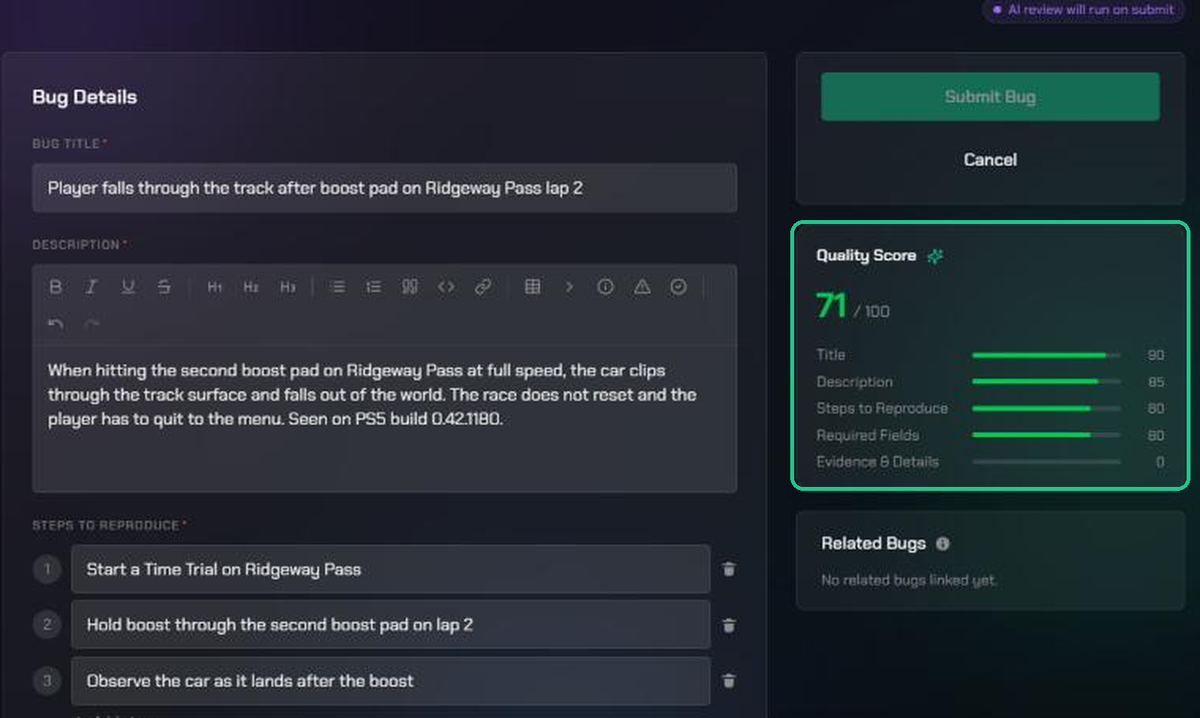
The Quality Score updates as the tester writes, so gaps are fixed before a reviewer has to send the bug back.
Checkpoint also checks the backlog for similar bugs while the report is being written. If a close match already exists, the tester sees it before submitting and can mark the new report as a duplicate, or link it as related or as a potential regression. Duplicates are stopped at source rather than cleaned up later.
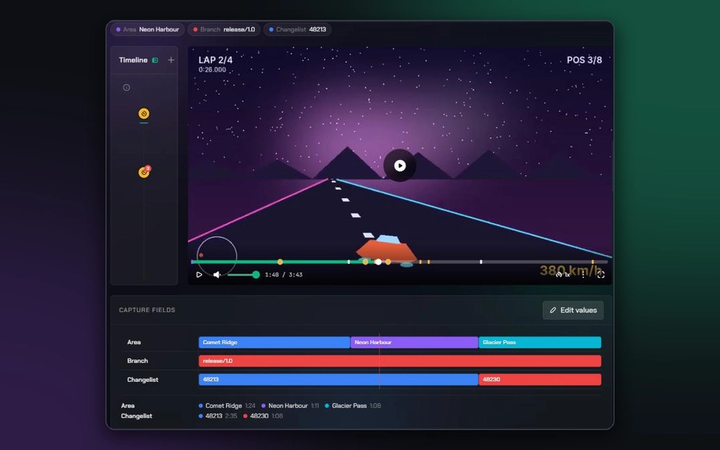
Clips, session replays and screenshots from Capture and Evidence attach directly to the bug, so developers can see exactly what happened.
Teams can also turn on TopMod AI to generate draft bugs from video clips, suggest improvements to a write-up, or carry out a first-pass review. TopMod AI is off by default and controlled by organisation and workspace admins.
Structured review
Submitted bugs go to the Review Queue.
Reviewers are assigned automatically. Each backlog uses one of three allocation methods: round robin across the reviewer team, fixed pairings between testers and reviewers, or rules based on a field value, such as routing every PS5 bug to a platform specialist.
Reviewers have three outcomes available. Approving a bug moves it to Submitted and on to development. Requesting changes returns it to the tester with a note explaining what's needed. Rejecting it closes it with a reason. Bugs can also be approved or rejected in bulk.
Feedback runs in both directions. If a developer needs more detail after picking up a bug, they can mark it Needs More Information, and that is tracked too.
Data from every decision
When review happens in spreadsheets, chat threads or informal conversations, decisions are made but the information behind them is lost. Because Checkpoint is a structured layer between QA and development, every review decision is recorded.
That gives leads and producers visibility they don't usually have. Checkpoint reports each tester's acceptance rate, the share of their bugs that pass review, alongside their duplicate rate. Impact Score weights accepted bugs by severity, so a single blocker counts ten times as much as a minor issue. Dashboards also show what's Awaiting Review, what's been sent back, and what developers have returned for more information.
These metrics are designed to support conversations, not rankings. A low acceptance rate can point to a tester who needs support with write-ups, a team working in a new area of the game, or review criteria that need clarifying.
The same data feeds Signals in Intel, which automatically surfaces duplicate clusters, regression spikes, build quality trends and quality hotspots.
Benefits across the team
For testers, Checkpoint provides a feedback loop. Every review shows what a complete report looks like, and the Quality Score gives guidance as they write.
For reviewers and leads, it provides consistency: one standard, one queue and one set of statuses for everyone.
For developers, it provides confidence. Bugs that reach development have already been reviewed for clarity, reproduction steps, evidence and duplicates.
For the studio, it provides a clearer picture of quality, built from work QA is already doing.
Quality before quantity
QA is often measured by volume: bugs found, bugs closed, bugs remaining. Checkpoint adds another measure: how many of those bugs were ready to act on when they reached a developer.
It does this through a single review step between QA and development, where reports are improved, duplicates are caught, and every decision becomes data the team can use.
To see Checkpoint with your own workflow, book a demo.