
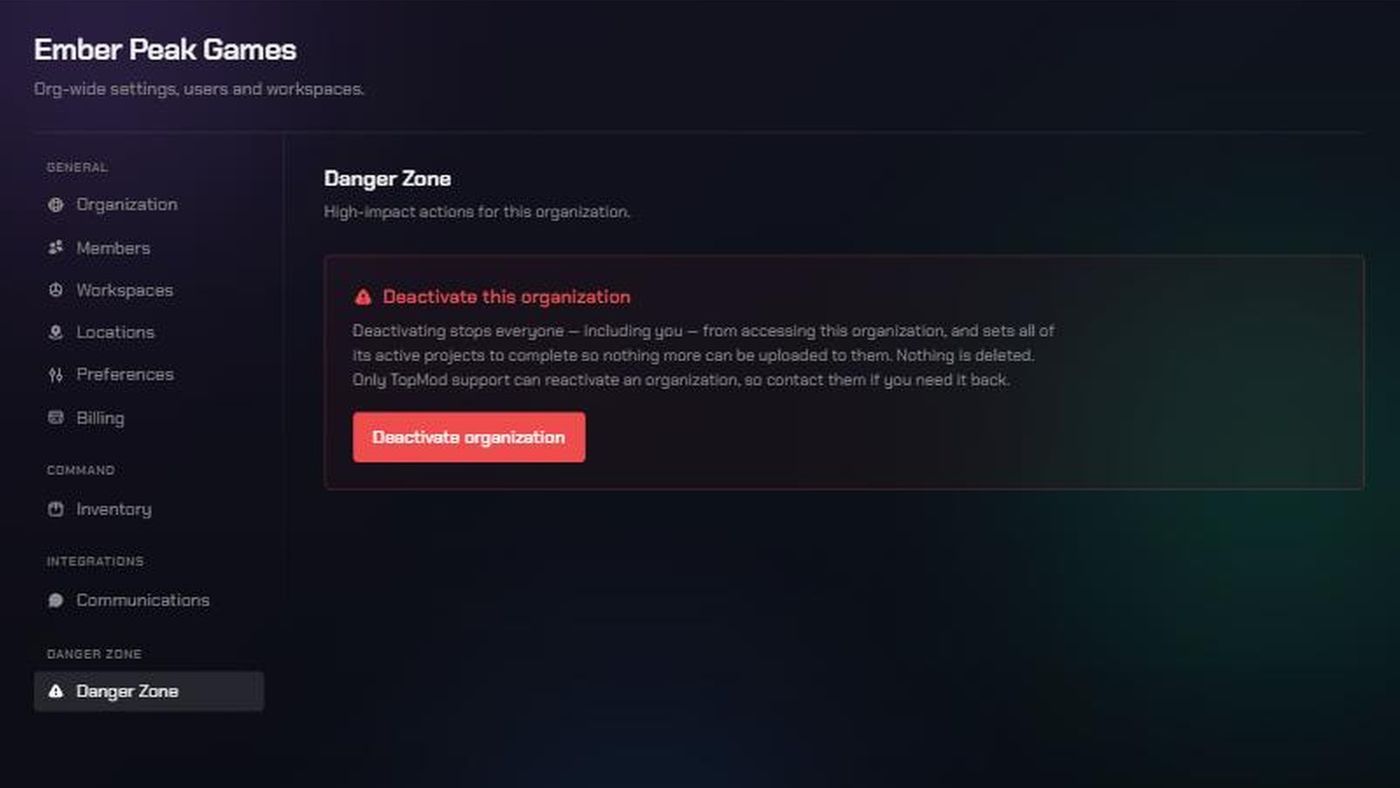
Before you start
- You need to be an organization admin.
- This locks out everyone, including you. You can't undo it yourself. Only TopMod support can reactivate the organization.
- Nothing is deleted. Members, workspaces, projects, bugs and evidence are all kept, ready for reactivation.
- Active projects are set to complete. Projects in planning, on hold or already complete are left as they are.
- Turn off public sharing first. Deactivating doesn't switch off share links or public bug submission forms. To be sure nothing stays reachable, turn off the switches in Preferences → Sharing before you deactivate. See Control public sharing for your organization.
- Billing isn't changed. Contact TopMod support about your seats and plan.
- Only need to remove one person? Deactivate that member instead. See Manage members: change roles, deactivate, reactivate or remove.
1. Open the Danger Zone
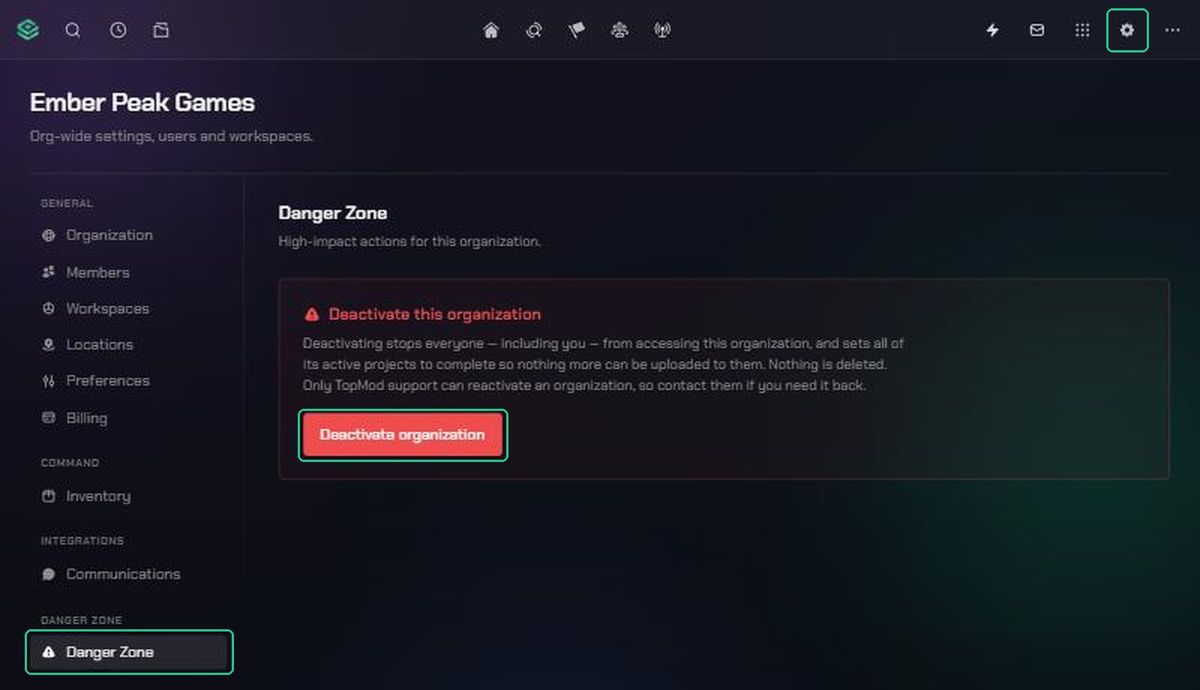
- Click Settings (the gear icon) in the navigation.
- Choose Organization Settings.
- Click Danger Zone.
2. Deactivate the organization
- Click Deactivate organization.
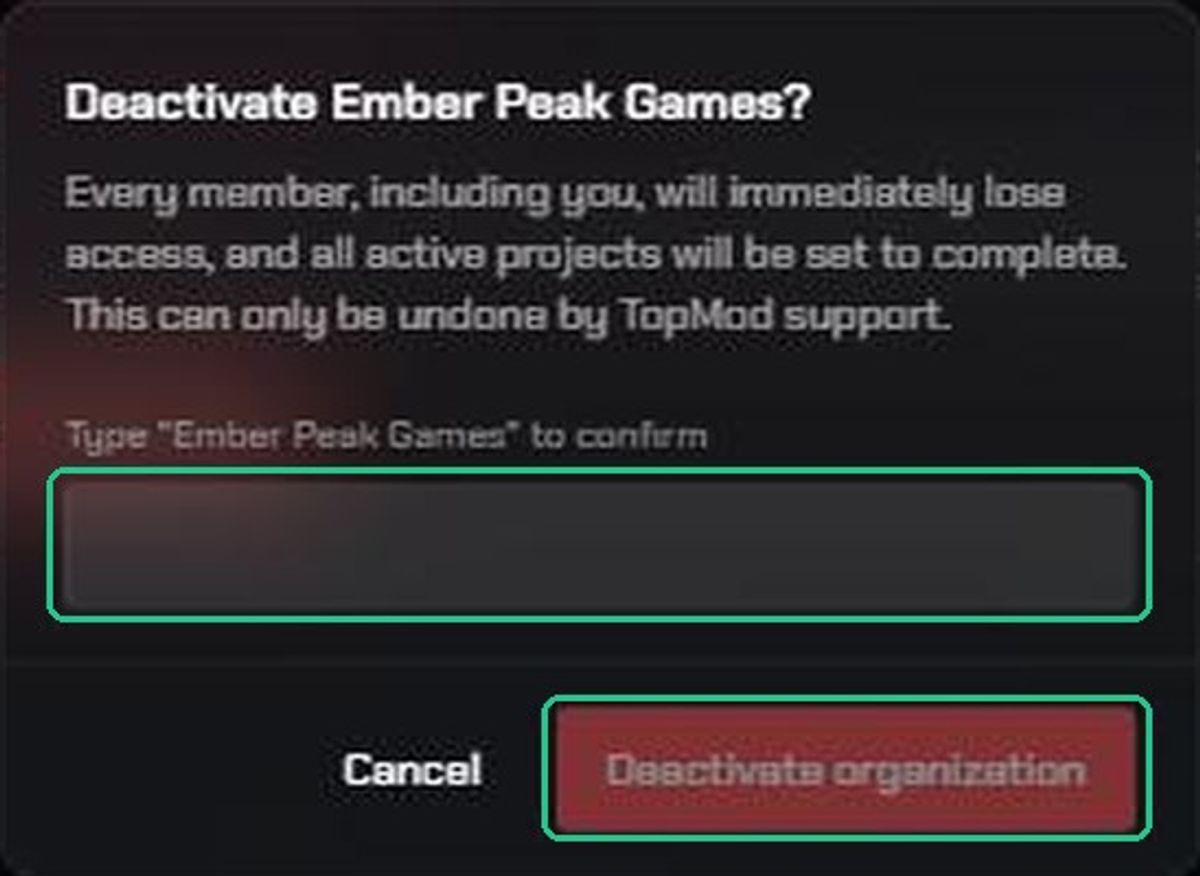
- Read the confirmation, then type your organization's name exactly as it appears in the box.
- Click Deactivate organization in the confirmation window. The button stays greyed out until the name matches.
You'll see "[organization name] has been deactivated" and you're taken out of the organization straight away.
If you change your mind before confirming, click Cancel. You'll see "Cancelled — the organization was not deactivated".
What happens next
- Everyone loses access at once. Anyone with other organizations is switched to one of those. Anyone without sees "[organization name] has been deactivated" and is asked to contact TopMod support.
- TopMod doesn't email your members. Let them know yourself, ideally before you deactivate.
- People can still create a new organization with a creation code. Deactivating one organization doesn't affect their account.
To get the organization back, contact TopMod support. They can reactivate it, and can also put back the projects that were set to complete. Projects come back as they were, but future assignment dates on them aren't restored.
Troubleshooting
- You can't find Danger Zone. You're not an organization admin. Ask an admin, or contact TopMod support.
- Deactivate organization in the confirmation window stays greyed out. Type the organization's name exactly as shown, including capitals and spaces.
- "Only an organization admin can deactivate the organization." Your admin role was changed. Ask another admin to do it.
- You deactivated the wrong organization. Contact TopMod support straight away. Nothing has been deleted.
- Someone can still open a shared link or form. Turn off public sharing in Preferences before deactivating. If you already deactivated, contact TopMod support.