Before you start
- You need to be signed in, with a project you can record into. Auto-recordings upload to the project selected in the sidebar switcher.
- Capture must be running, even if only in the system tray. To have it start with Windows, go to Settings > Preferences and switch on Start TopMod When I Sign In.
- Recordings you start yourself are never interrupted by auto-record.
1. Add games to the watch list
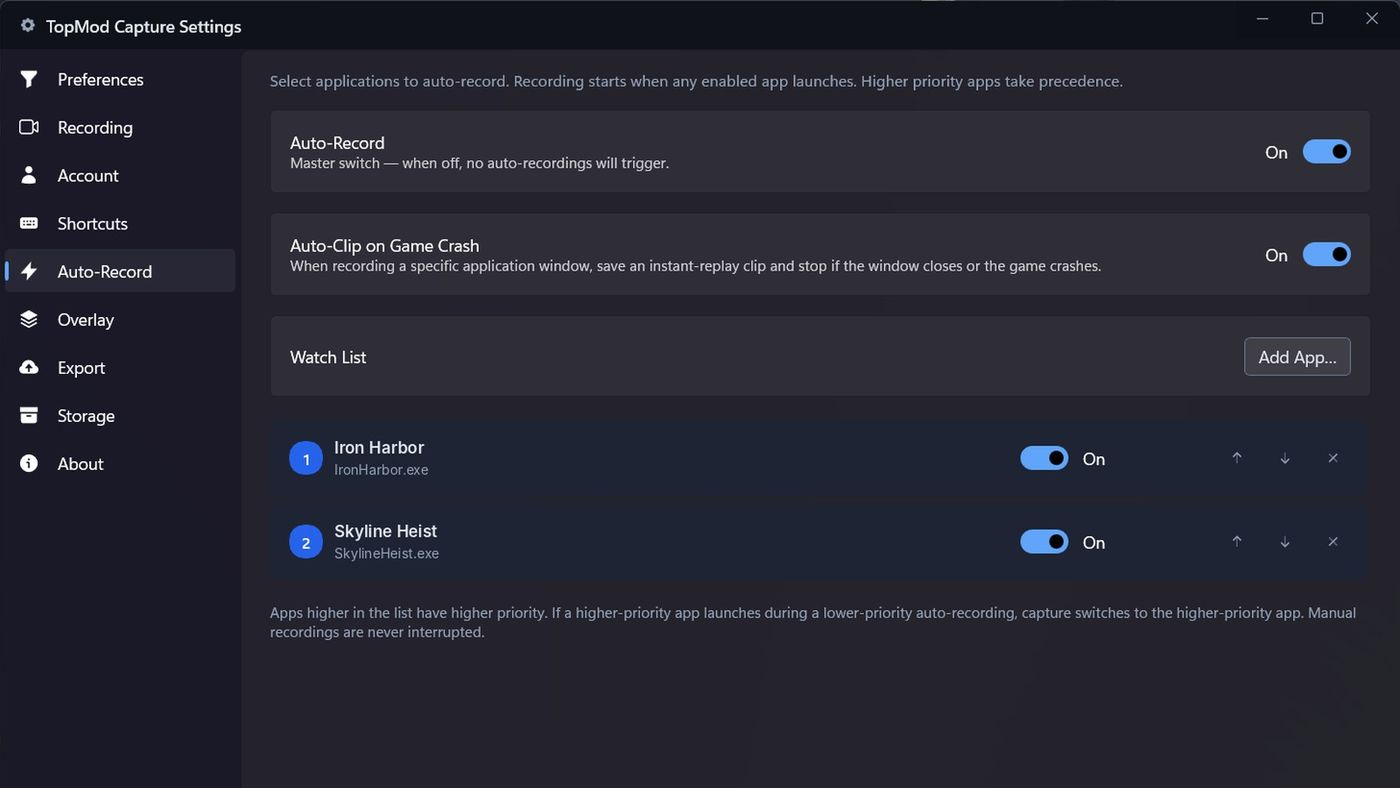
- Open Settings and click Auto-Record.
- Under Watch List, click Add App….
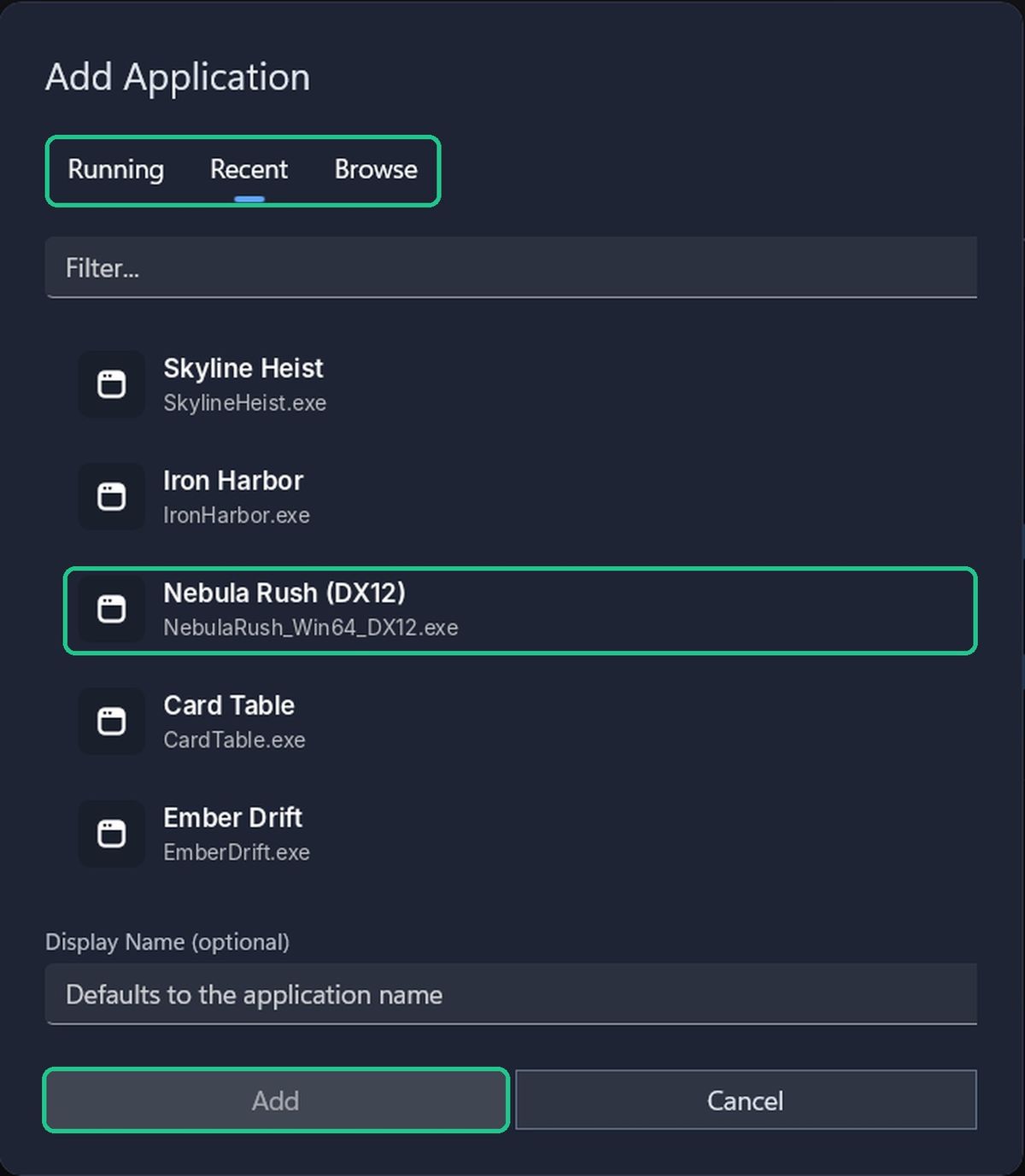
- In Add Application, pick the game from one of the tabs:
- Running: apps open right now.
- Recent: the last 10 apps you recorded.
- Browse: click Browse for .exe... to pick a game that isn't running.
- Optionally, type a Display Name. Otherwise the app's own name is used.
- Click Add.
2. Set the priority
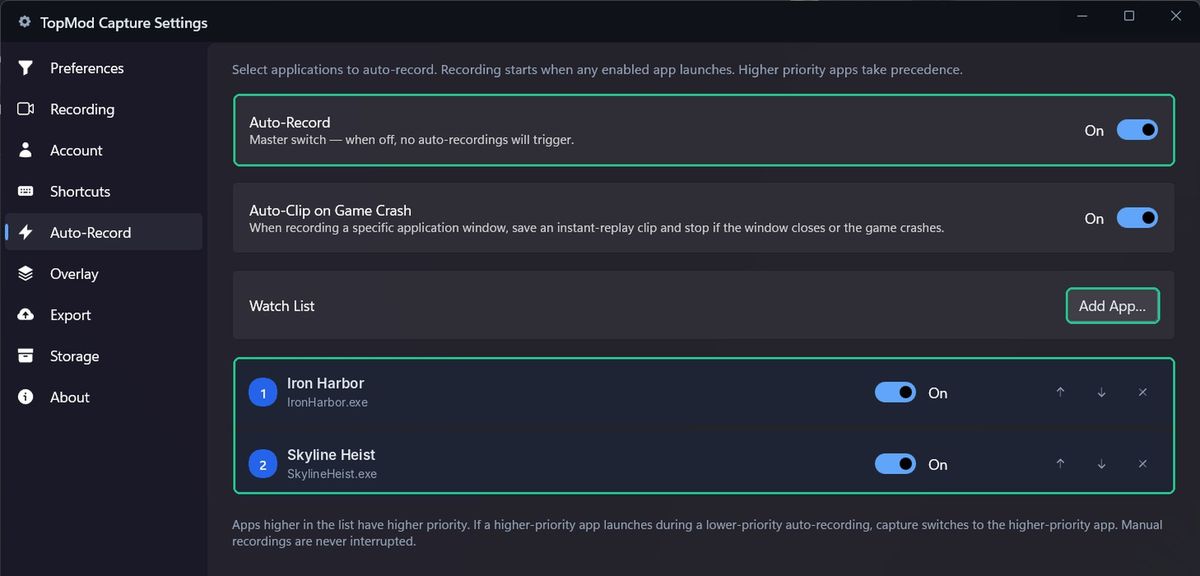
If two watched games run at once, Capture records the one higher in the list. The rank badge shows each game's priority, with 1 the highest.
- Use the up and down arrows, or drag rows, to change the order.
- Use a game's switch to stop it triggering recordings without removing it.
- Click the remove button to take it off the list.
If a higher-priority game launches during a lower-priority auto-recording, Capture switches to the higher-priority game.
3. Turn auto-record on
Switch on Auto-Record at the top of the tab. It's off until you turn it on.
You can also turn it on and off with Alt+A, or with Auto-Record in the tray menu.
When a watched game launches, Windows shows "Auto-Recording Started". When it closes, Capture saves the recording and shows "Auto-Recording Stopped". Auto-recordings are marked AUTO in the sidebar.
Troubleshooting
- Auto-Record is greyed out: "No workspace available for your account — ask your admin for access." Ask an admin to add you to a project.
- A watched game didn't record. Check you're signed in, Capture is running, Auto-Record is on, and the game's switch is on.
- You see "Auto-Record Queued". Another recording is running. The game records when it finishes.
- You see "Auto-Record Switched". A higher-priority game launched, so Capture switched to it.
- You see "No running applications detected." Start the game, or use the Browse tab.