
Before you start
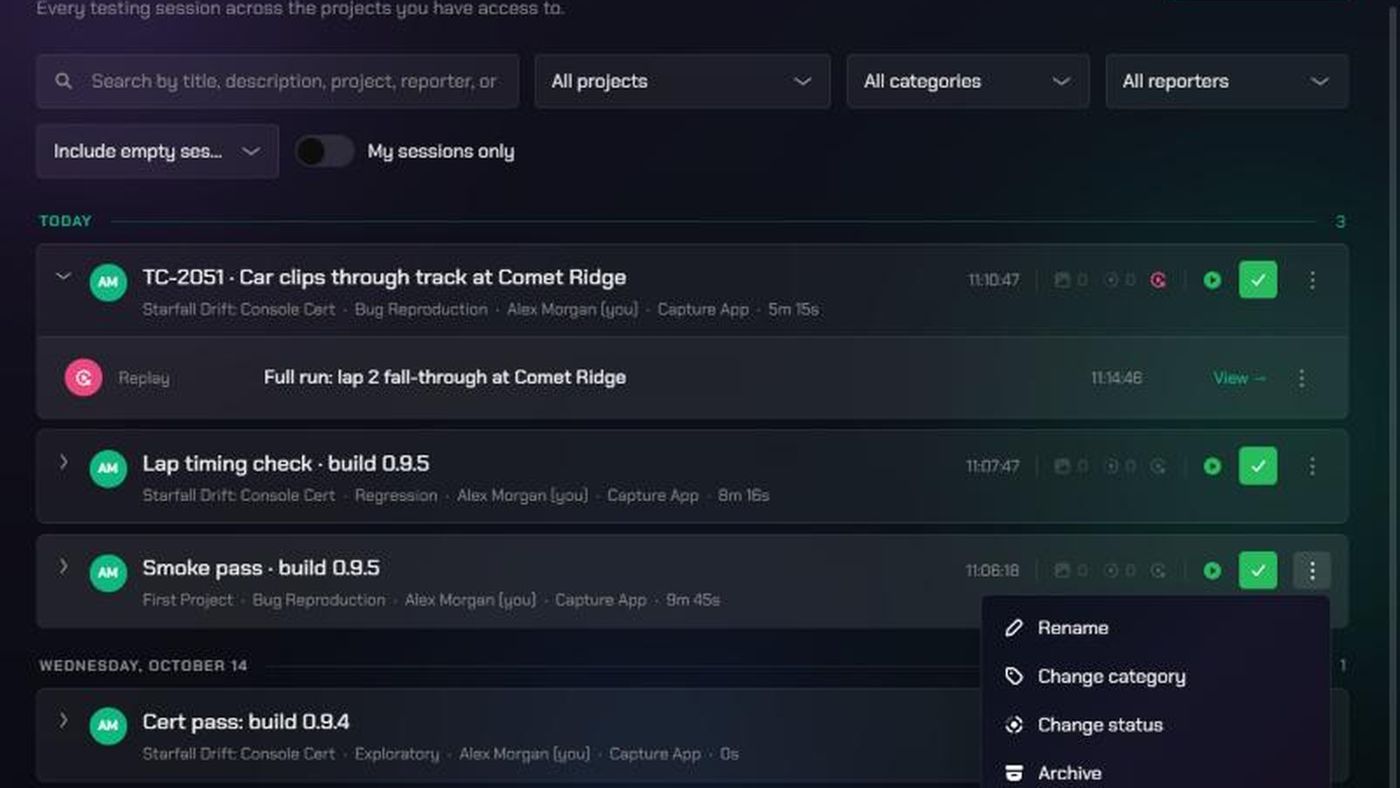
- Who can manage a session: the person who started it, the project's Lead, and workspace or organization admins. For everyone else the session's ⋮ menu and tick are greyed out.
- Who can rename or delete a single evidence item: the person who uploaded it, the session's owner, the project's Lead, and admins.
- There's no undo for archiving. An archived session disappears from the Session List and can't be restored from the app.
1. Rename a session or change its category
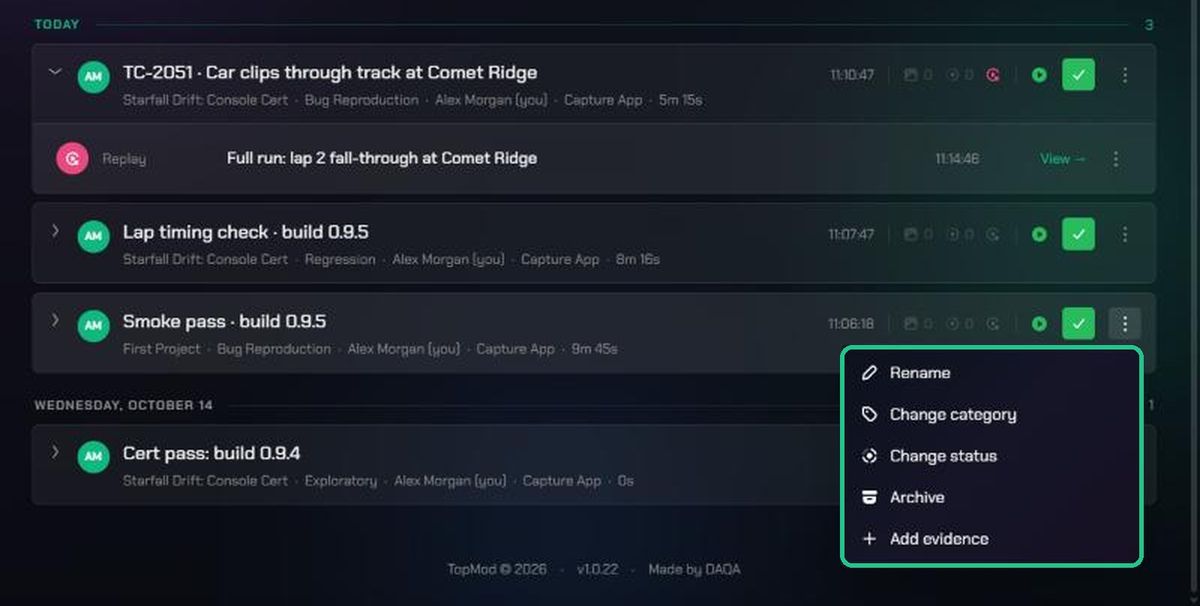
- In Evidence > Session List, click the ⋮ on the session's card.
- Click Rename, type a new Title and click Save. A blank title shows as "Untitled session".
- Or click Change category, choose a Category and click Save.
2. Change a session's status
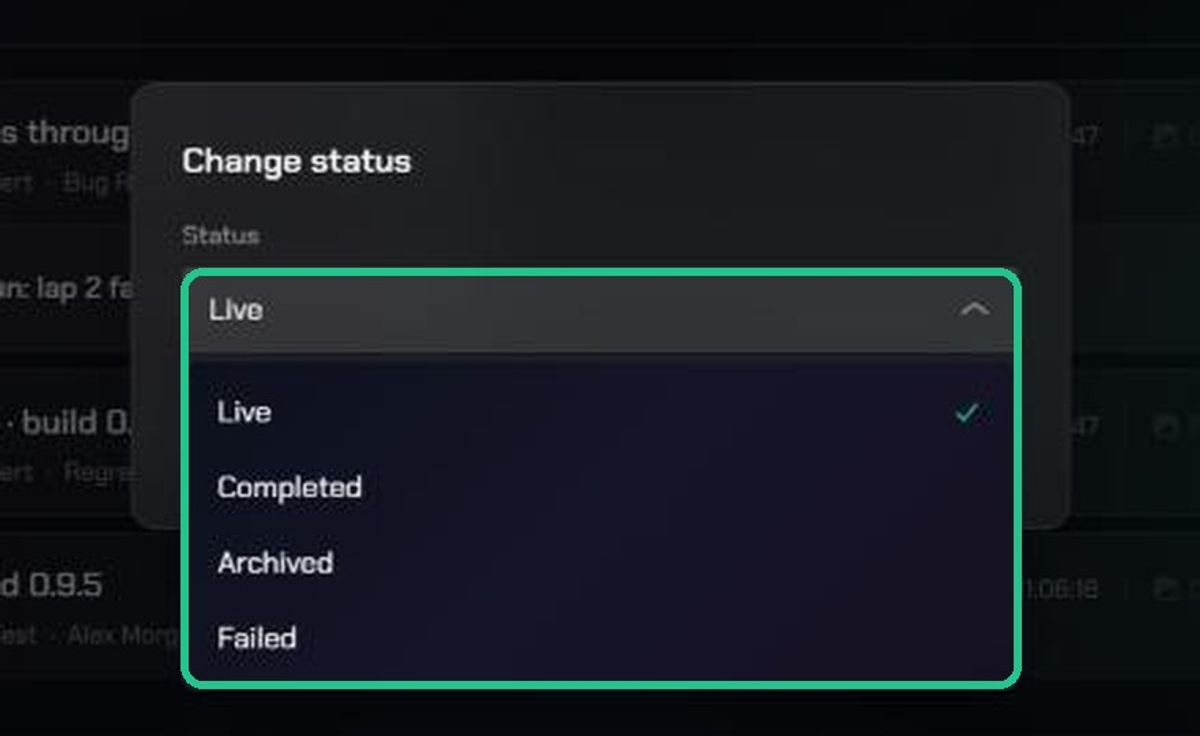
- Click the ⋮ on the session's card, then Change status.
- Choose Live, Completed, Archived or Failed, and click Save. In the Session List, a live session's pill reads Recording.
Moving a session out of Live records when it ended and how long it ran. Setting it back to Live reopens it and clears the end time.
To finish a live session quickly, click the green tick (Mark as complete) on its card instead.
3. Archive a session
- Click the ⋮ on the session's card, then Archive.
- Your browser asks "Archive "<session name>"? It will be hidden from the sessions list." Click OK.
What happens:
- The session disappears from the Session List, and you can't restore it from the app.
- Its replay, clips and screenshots aren't deleted. They stay in the Content Library.
- Opening one of them afterwards shows "Session not found", because its session is archived.
If you might need the evidence again, set the status to Completed instead.
4. Rename or delete one piece of evidence
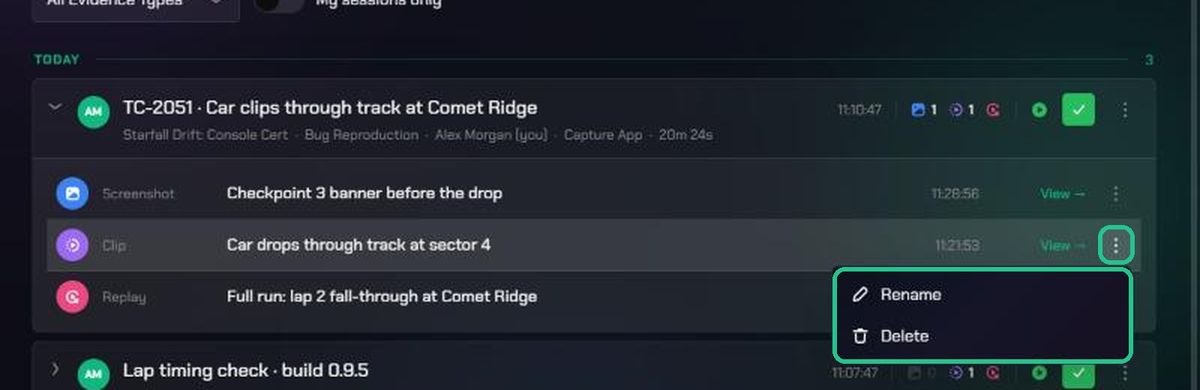
- Click the session's card to expand it.
- Click the ⋮ on the evidence row.
- Click Rename, type a title and click Save (or press Enter). You'll see "Renamed to "<title>"".
- Or click Delete, then Delete again in "Delete evidence". The item is hidden from the session and the Content Library.
Troubleshooting
- The ⋮ menu and tick are greyed out. You didn't start this session and you're not the project's Lead or an admin. Ask one of them to make the change.
- "Not authorized to rename this session.", "Not authorized to change this session's category." or "Not authorized to change this session's status." Same as above.
- "Session not found" when opening evidence. The session was archived. Ask an admin to check with TopMod support if you need it back.
- The tick doesn't change anything. Refresh the page. If the session is still Live, use Change status instead.