
Before you start
- You need to be an admin of the workspace. If you're not, ask a workspace or organization admin.
- Your organization's settings come first. If your organization has turned TopMod AI or a feature off, it's off in every workspace, and you can't turn it back on here.
- TopMod AI needs credits. When your organization runs out of TopMod AI credits, AI features are hidden and the AI reviewer stops, whatever is switched on here. See "Billing" in the Organizations guides.
1. Open the TopMod AI page
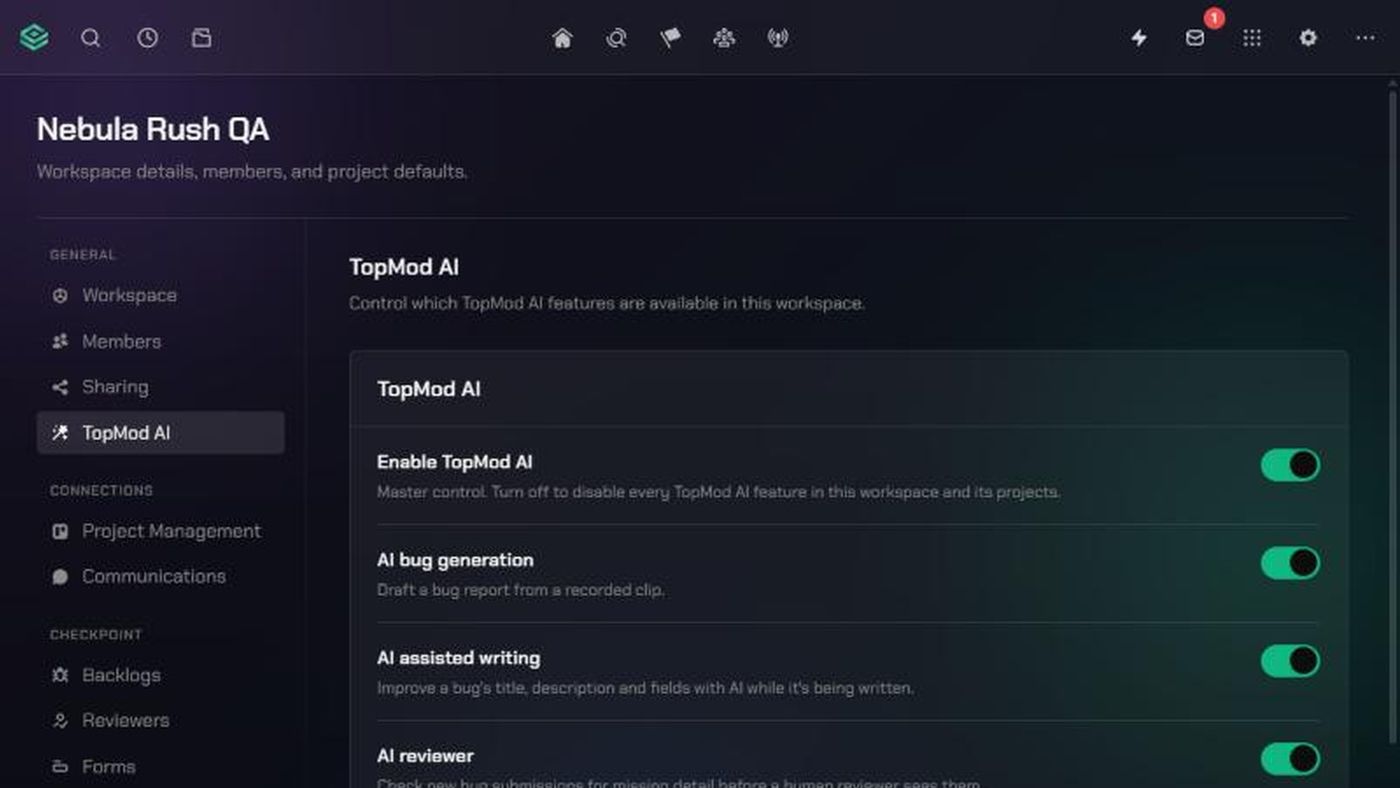
- Click the TopMod logo at the top left and click Workspace settings.
- Under General, click TopMod AI.
2. Turn TopMod AI and its features on or off
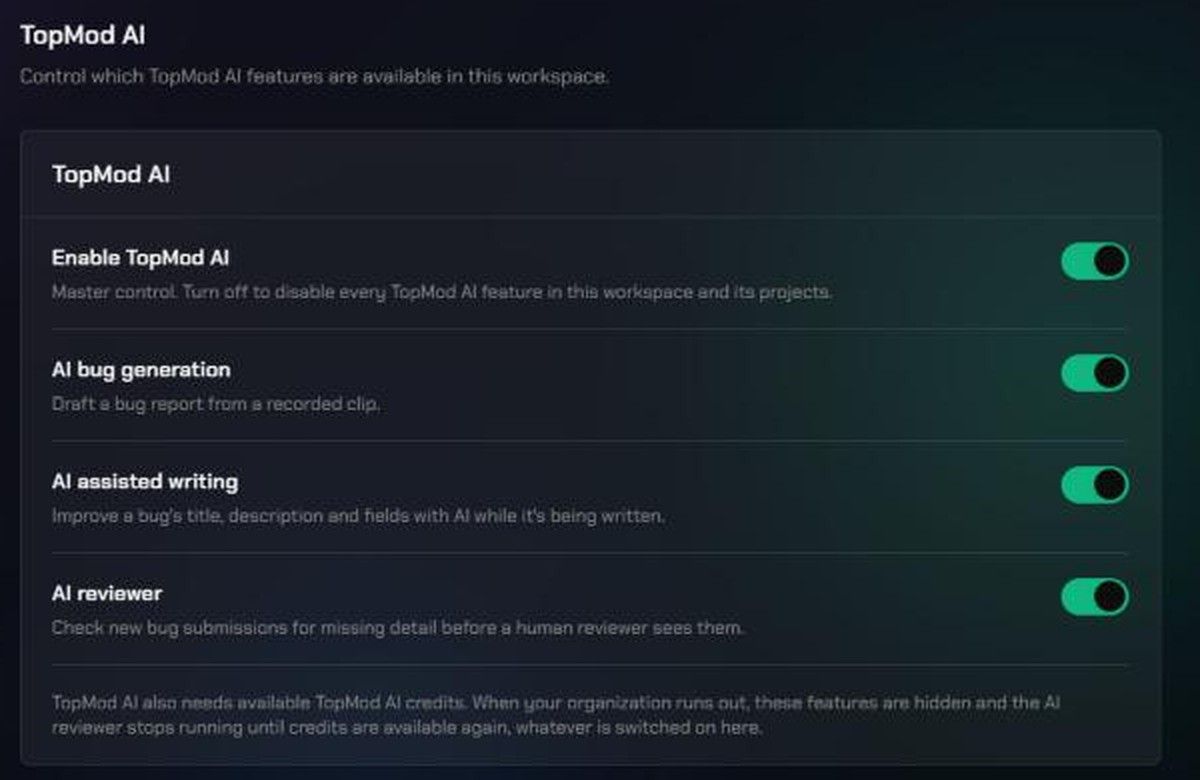
Each switch saves as soon as you click it.
- Enable TopMod AI is the master switch. Turning it off turns off every AI feature in this workspace and its projects. Turning it back on turns every feature on again.
- With TopMod AI on, choose each feature:
- AI bug generation drafts a bug report from a recorded clip. See "Generate a bug from a clip with AI".
- AI assisted writing improves a bug's title, description and fields while it's being written.
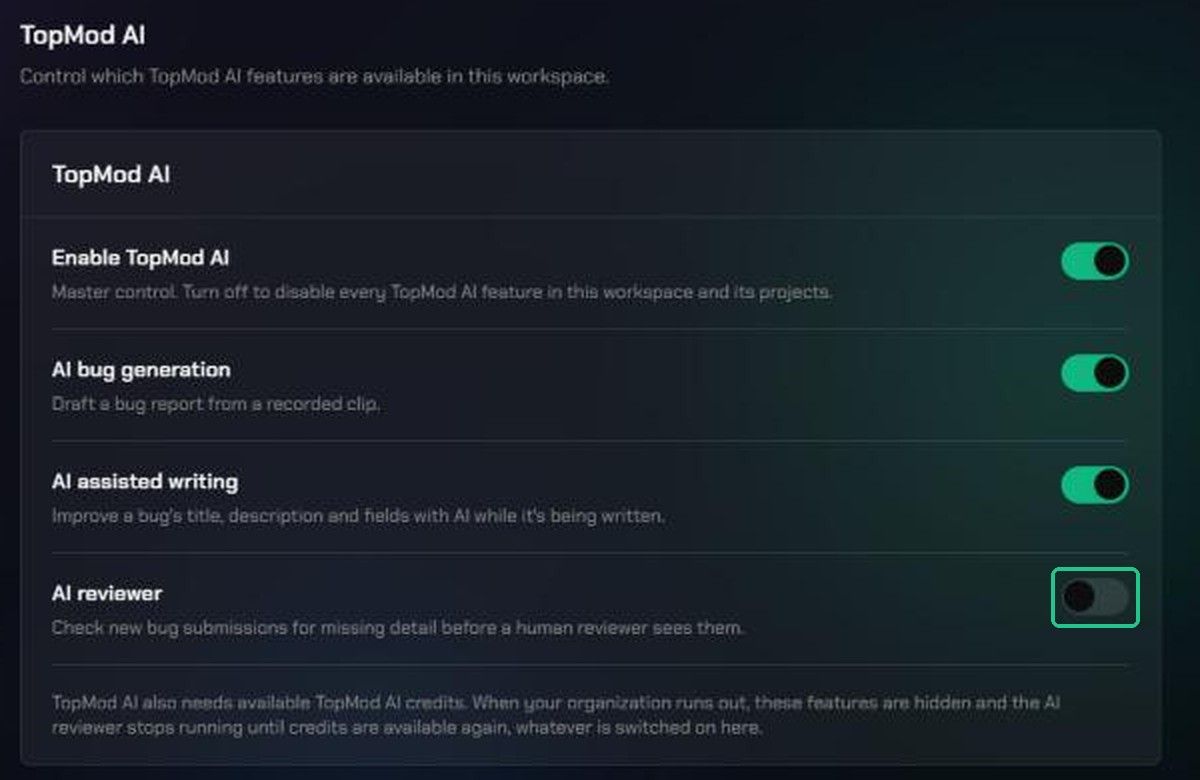
- AI reviewer checks new bug submissions for missing detail before a human reviewer sees them. See "Check bug reports with the AI reviewer".
If a feature is greyed out with a Locked by organization badge, your organization has turned it off. Ask an organization admin to change it in Organization Settings > Preferences.
Troubleshooting
- "Disabled at the organization level — this workspace cannot override that." Your organization has turned this off. Ask an organization admin.
- The feature switches are faded and can't be clicked. Turn on Enable TopMod AI first.
- AI features are switched on but members can't see them. Your organization may be out of TopMod AI credits. Ask an organization admin to check Billing.
- "Could not save changes." The switch has flipped back. Check your connection and try again.