
Before you start
- The bug's reporter and workspace or organization admins can share a bug.
- Public bug links must be allowed at both levels: Organization Settings > Preferences and Workspace Settings > Sharing, under Allow public share links on bugs. If either is off, ask an admin.
- Your organization or workspace may require a password on every share link. If so, the password switch is turned on for you.
- Links don't expire. They work until you revoke them, or until an admin turns off public bug links.
- Anyone with the link can view the bug, so share it only with people who should see it.
1. Open Share
- Open the bug.
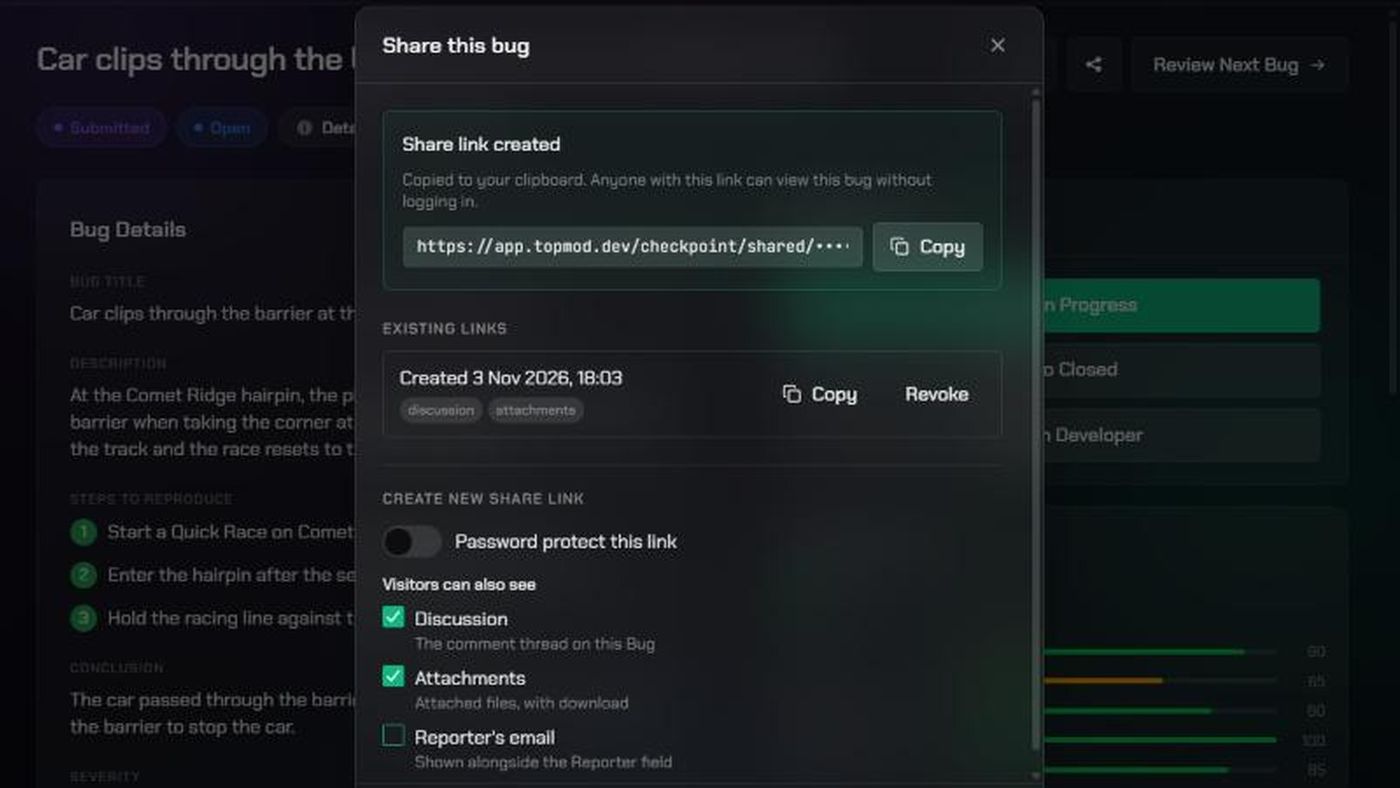
- Click Share (the share icon) at the top.
The Share this bug window lists the bug's Existing links and lets you create a new one.
2. Choose what visitors see
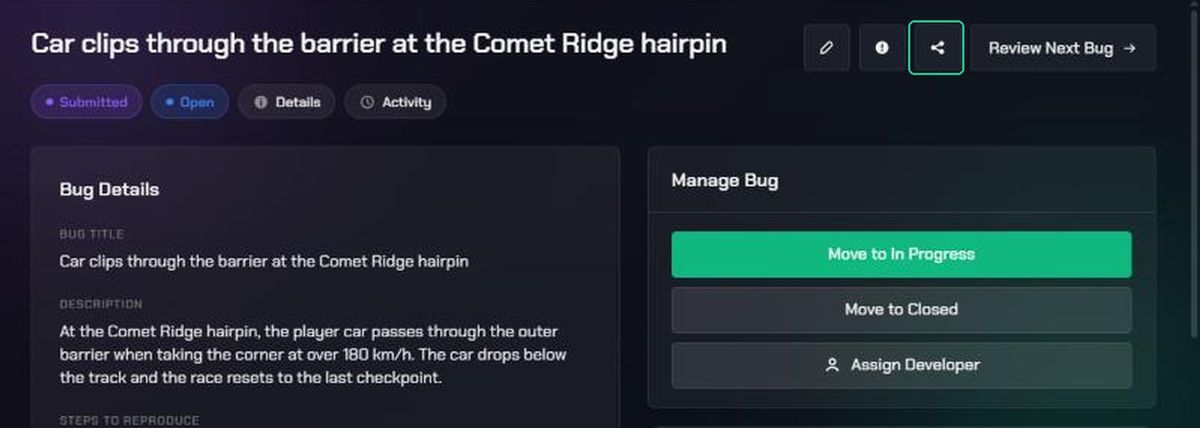
Under Create new share link:
- Turn on Password protect this link and type a password, if you want one. Send the password to your visitor separately.
- Under Visitors can also see, tick what to include:
- Discussion: the comment thread on the bug. On by default.
- Attachments: attached files, with download. On by default.
- Reporter's email: shown next to the reporter's name. Off by default.
If you turn on the password switch but leave the password empty, the link is created without one.
3. Create and copy the link
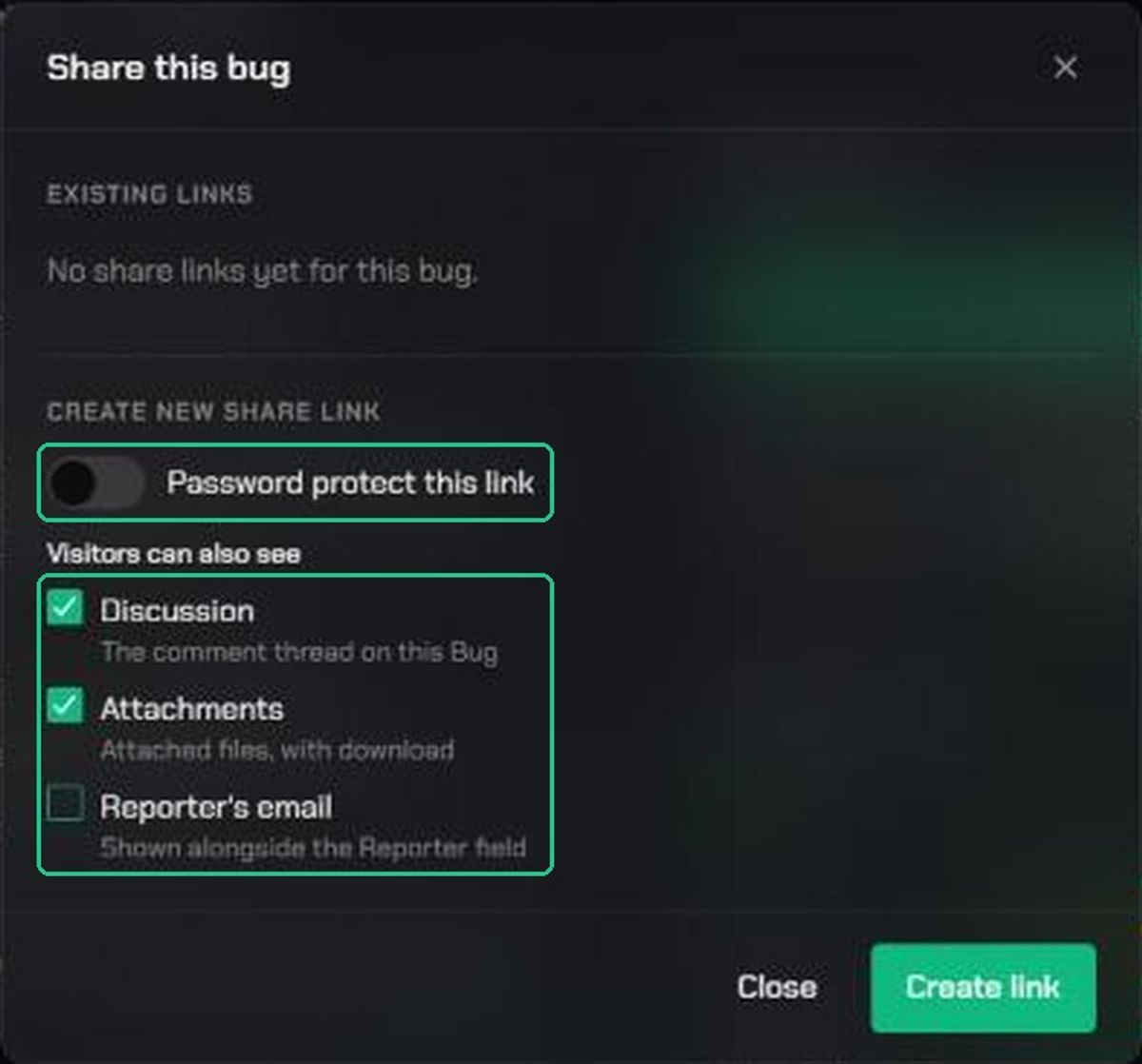
- Click Create link.
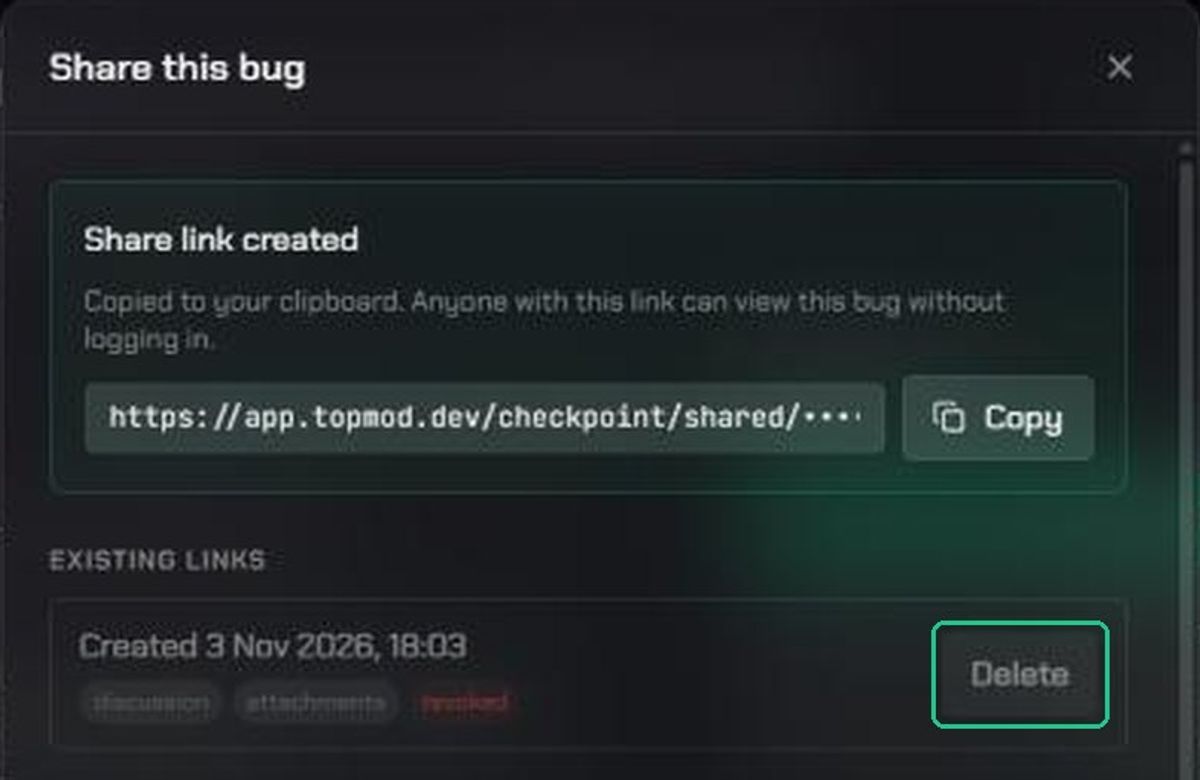
- TopMod copies the link to your clipboard and shows "Share link created". Click Copy to copy it again.
- Paste the link wherever you need it, such as an email or chat.
You can copy a link again later only in the browser you created it in. In another browser, create a new link.
4. Revoke or delete a link
- Open Share on the bug.
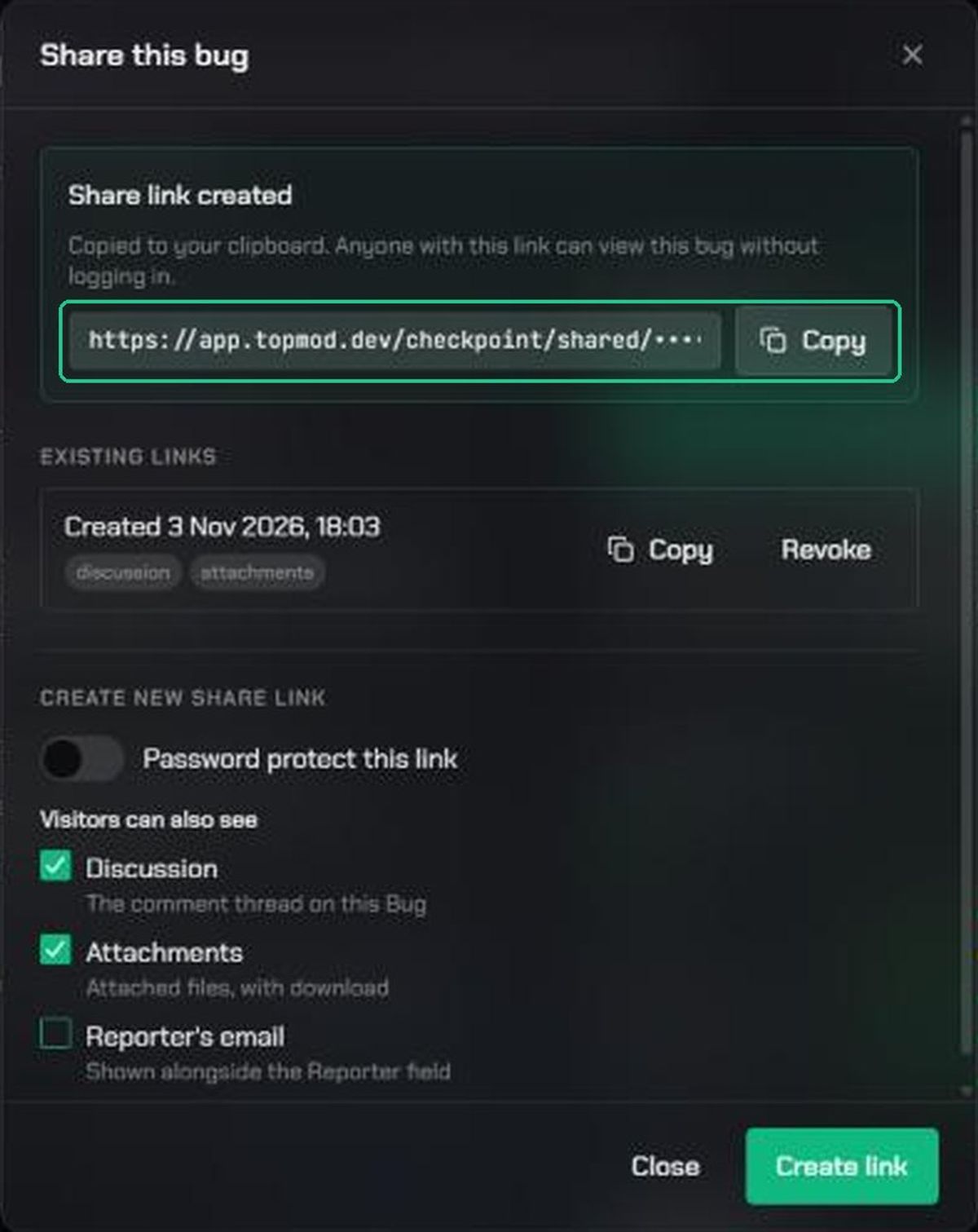
- Under Existing links, click Revoke on the link. It stops working straight away. There's no confirmation, so check you've picked the right link.
- To remove a revoked link from the list, click Delete, then Delete again to confirm.
Each link shows when it was created, a lock if it has a password, and pills for what it includes.
What the visitor sees
The page is headed Shared via TopMod. It shows:
- the bug's key and title, with its Severity, Testing Status and Development Status
- the Description, project, reporter, assigned developer and created date
- Attachments, if you included them. Clips, screenshots and replays open on their own page with a Back to bug link.
- the discussion, read-only, if you included it
If the link has a password, the visitor sees This bug is password protected and types it in. After 10 wrong passwords they're locked out for 15 minutes.
Troubleshooting
- You don't see Share. Only the reporter and workspace or organization admins can share a bug. The button is also hidden while you're editing.
- "Public share links are disabled for this workspace." An admin has turned off Allow public share links on bugs. Ask a workspace admin.
- "This workspace requires a password on every share link." Turn on Password protect this link and enter a password.
- There's no Copy button on a link. It was created in another browser. Create a new link, or revoke the old one.
- The visitor sees "This link is no longer available". The link was revoked, or public bug links were turned off. Create a new link if sharing is still allowed.
- The visitor sees "Too many attempts". They entered the wrong password too often. They can try again in 15 minutes.
- The visitor sees "That password isn't correct." Check you sent the right password.