
Before you start
- Only workspace and organization admins can edit or delete bugs in bulk. Admins with the Observer Team Role can't. If you're a member, ask a workspace admin.
- Bulk actions only work in the Bug Table, not on the boards.
- To approve or reject several bugs at once, use the Review Queue instead. See Review Queue.
- You can select up to 500 bugs at a time.
1. Select bugs
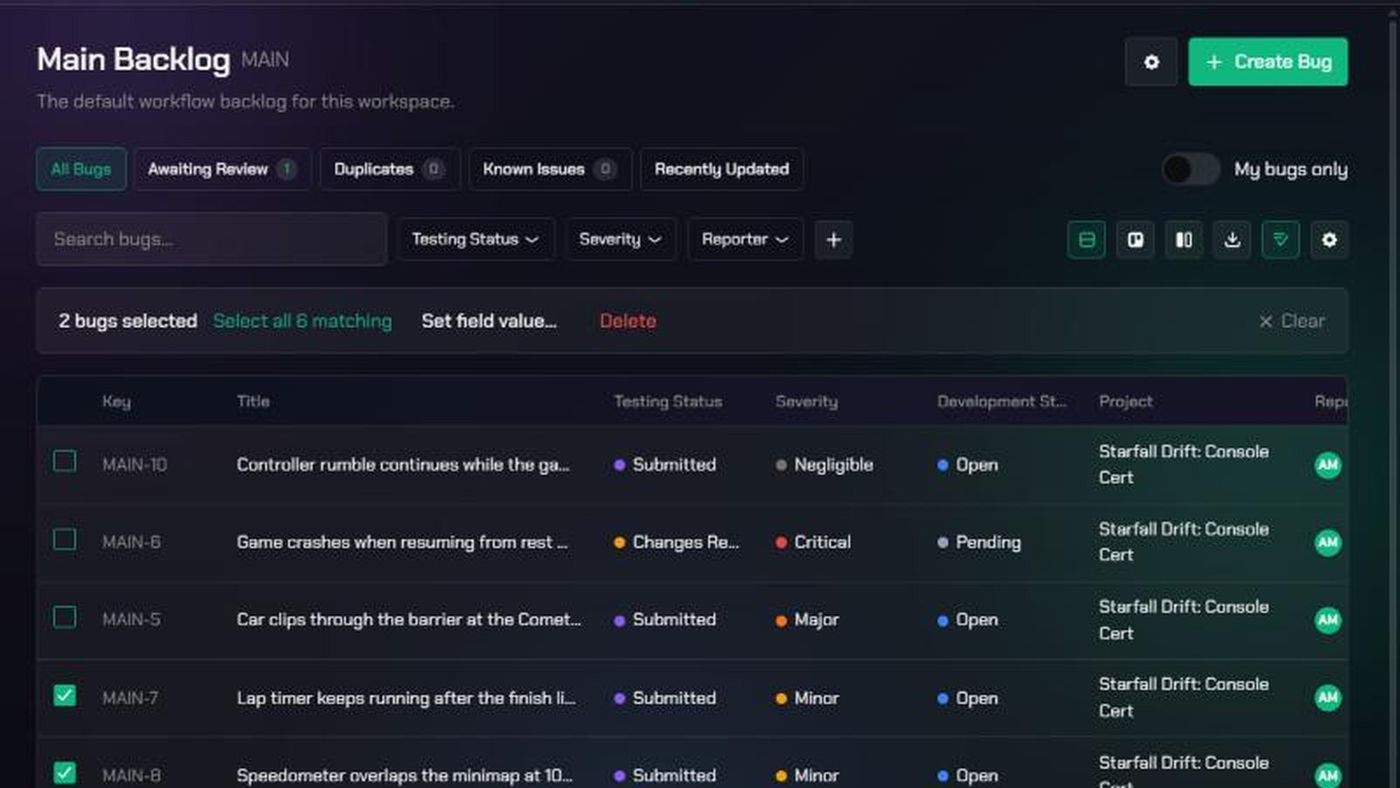
- Open a backlog from the Checkpoint menu and make sure you're in Bug Table view.
- Filter the table down to the bugs you want. See Bug Table and Boards.
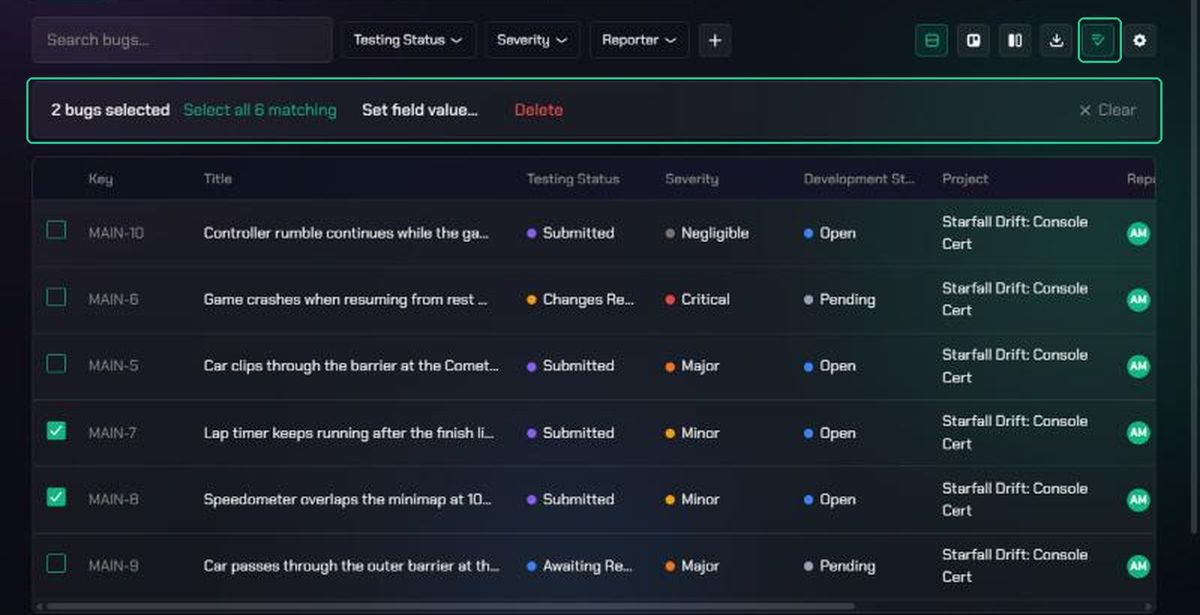
- Click the checklist icon ("Select bugs for bulk actions") in the toolbar.
- Tick the bugs you want. Ticking only selects bugs on the current page.
- To select every bug that matches your filters, click Select all {N} matching.
The bar shows how many bugs are selected. Changing page, filters or sort clears your selection.
2. Set a field value
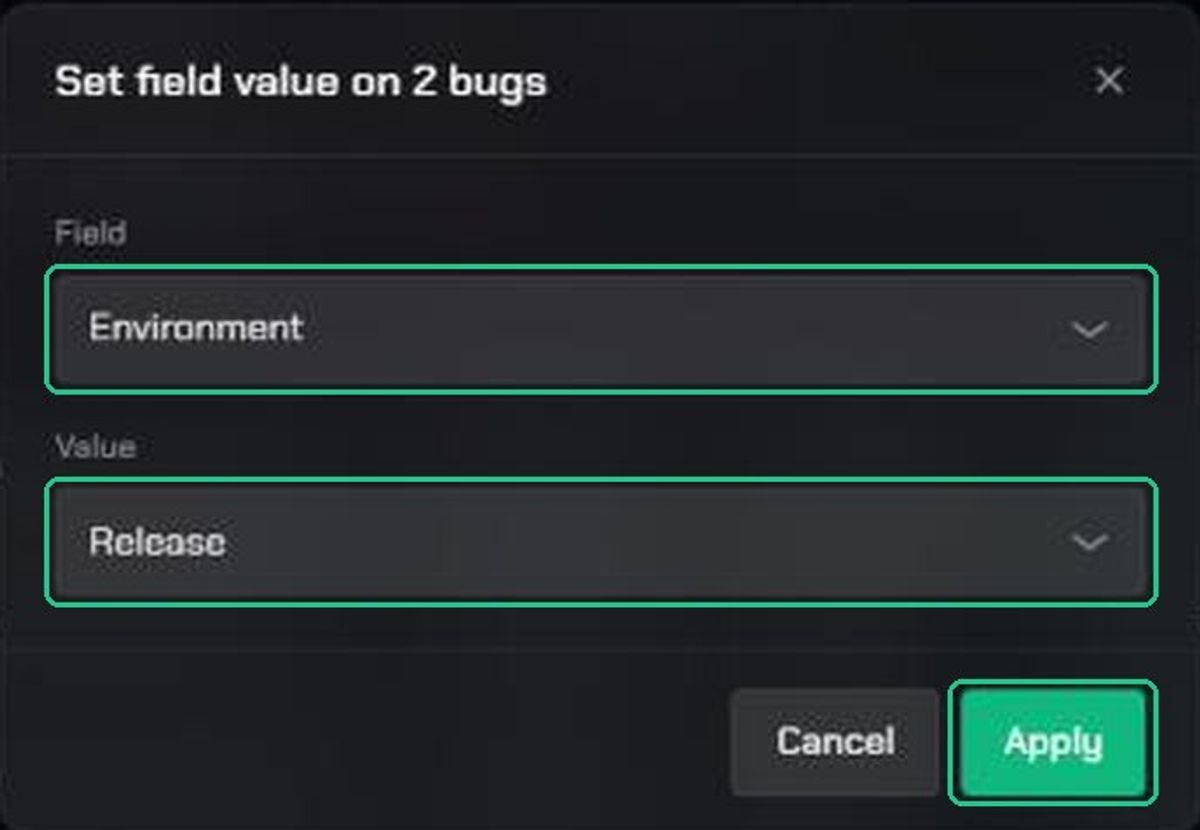
- Click Set field value… in the bulk action bar.
- Under Field, choose the field to change.
- Choose or type the new Value. For fields that hold several values, tick them under Values. This replaces each bug's existing values.
- Click Apply.
You'll see "{Field} set on {n} bugs." Only some field types can be set in bulk: single and multiple choice, text and number fields. Protected fields, such as Severity, aren't listed.
3. Delete bugs
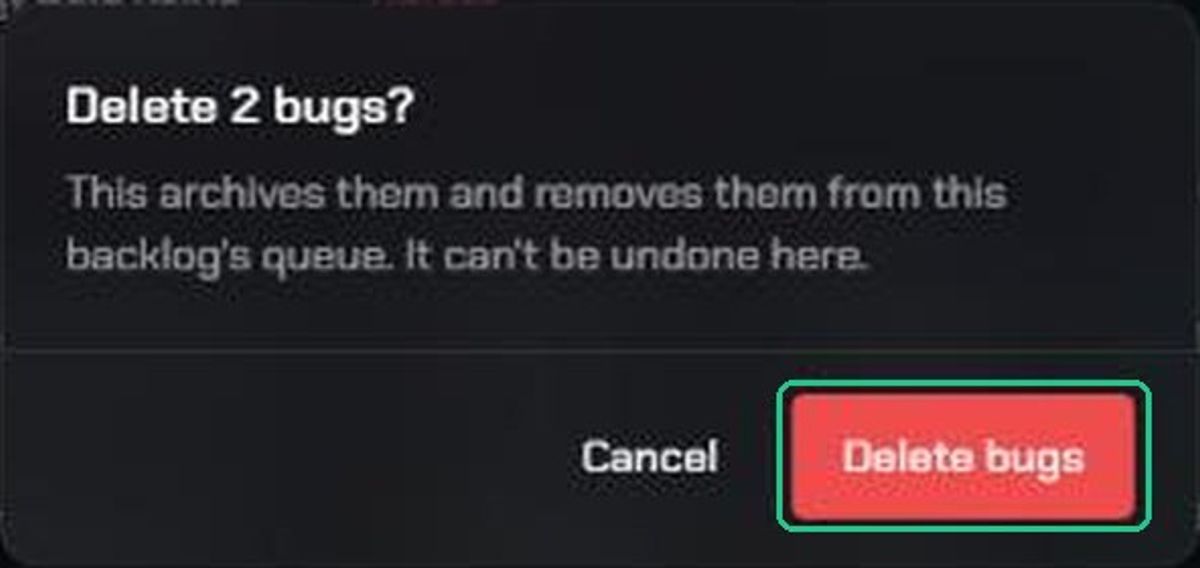
- Click Delete in the bulk action bar.
- Read the confirmation, then click Delete bugs.
You'll see "{n} bugs deleted". The bugs are archived and removed from the backlog. You can't restore them from the backlog page.
Troubleshooting
- You don't see the checklist icon. Only workspace and organization admins get bulk actions. Observers don't.
- The checklist icon is greyed out. Switch to Bug Table view.
- "Selected the first 500 matching bugs — narrow your filters to select the rest." Work in batches of 500 or fewer.
- Set field value… isn't shown. Select at least one bug. The backlog also needs at least one field that can be set in bulk.
- "Value is not a configured option for field “{field}”." The value isn't one of the field's options. Pick one from the list.
- "Only workspace admins can bulk-edit bug fields." Ask a workspace admin to make the change.
- "Could not delete these bugs." Try again. If it keeps happening, contact TopMod support.